What Matters
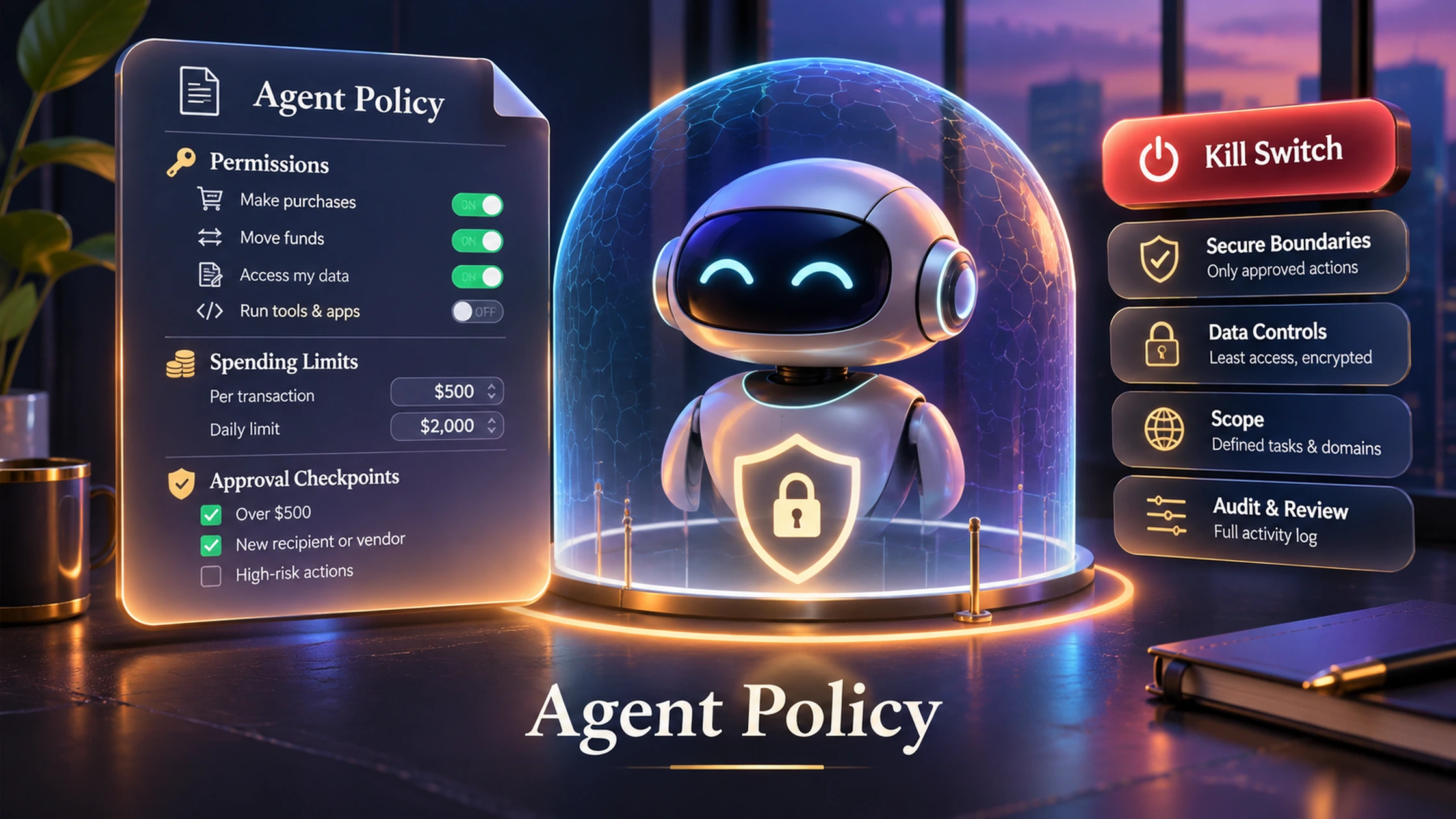
Most people set agent rules only after something goes wrong. A one-page policy is a better default: define what the agent may read, what it may change, what always needs approval, how much money it can move and what causes an immediate shut-off.
DN Evidence Block
Last reviewed: 16 November 2026.
Primary guidance: OpenAI’s current agent-safety and approval guidance, including keeping tool approvals for consequential actions, using structured inputs, trace graders and explicit boundaries.
Boundary: this is a personal governance template, not a security standard or legal policy.
The One-Page Policy
| Area | Write this down |
|---|---|
| Identity | Which agent/account this policy applies to |
| Read access | Apps and data the agent may inspect |
| Write access | Apps where it may create or edit |
| Money | Per-action and daily limits |
| Approval | Actions that always require confirmation |
| Data | Secrets, personal data and files it must never expose |
| Review | How often logs and permissions are checked |
| Escalation | When the agent must stop and ask |
| Shut-off | How to revoke keys, sessions and permissions immediately |
1. Start Read-Only
New agents should prove they can interpret the environment before they gain the ability to change it.
2. Separate Reversible From Irreversible Actions
Drafting an email is different from sending it. Preparing a trade is different from submitting it. Your policy should reflect that.
3. Cap Money Explicitly
Never rely on “be careful.” Use numeric limits, dedicated accounts and transaction-level approvals where possible.
4. Define the Data Boundary
Specify which files, contacts, credentials and secrets are out of scope even when technically accessible.
5. Define When the Agent Must Stop
Ambiguous instructions, missing data, unusual counterparties, conflicting policies and security warnings should trigger escalation rather than improvisation.
6. Review Permissions on a Schedule
Agent capabilities tend to expand over time. Review the tool list and credentials before “temporary” access becomes permanent.
7. Have a Real Shut-Off Path
A kill switch is not a sentence in a prompt. It is the actual ability to revoke tokens, disable the integration, freeze the account or remove the credential.
DN Personal Agent Policy Builder
DN Rule
If you cannot explain how to revoke an agent’s authority in under a minute, the agent has too much authority.
Frequently Asked Questions
Do I need a policy for a simple chatbot?
Not usually. The need grows when the system gets tools, persistent memory, money access or write permissions.
Should I allow automatic approvals?
Only for bounded, low-consequence actions with clear enforcement outside the prompt.
What should always require approval?
Large or unusual payments, destructive changes, new credentials, new counterparties, production access and ambiguous high-impact actions are strong candidates.
A Filled Personal-Agent Policy
The template becomes useful only when vague intentions are replaced with enforceable rules. The example below is for a personal research-and-administration agent. It is illustrative, not a universal policy.
| Policy field | Illustrative rule |
|---|---|
| Purpose | Research topics, summarise documents, prepare drafts and maintain a task list. |
| Read access | Specified project folder, selected calendar events and labelled email threads only. |
| Write access | Create drafts and internal notes. No sending, deletion, publishing or account changes. |
| Money | No bank, wallet or trading access. Software purchases require human checkout. |
| Data exclusions | Passwords, seed phrases, government IDs, health records and private keys may never be entered or copied. |
| Approval | Required before external communication, file sharing, public publishing or adding a new integration. |
| Escalation | Stop if instructions conflict, a source is unavailable, a request concerns legal/medical/financial advice, or the recipient is uncertain. |
| Review | Weekly action-log review; monthly permission review; immediate review after an incident. |
| Shut-off | Disable the integration, revoke tokens, remove API keys and rotate any exposed credential. |
Permission Tiers
Tier 0: No tools
The agent can reason over information supplied in the session but cannot access external systems. Use this for initial testing and high-sensitivity topics.
Tier 1: Read-only
The agent can retrieve approved information but cannot change state. This is the correct first production tier for research, analytics and support triage.
Tier 2: Reversible writes
The agent can create drafts, labels or internal records that a human can inspect and undo. Deletion, sending and financial actions remain blocked.
Tier 3: Bounded side effects
The agent can send, buy, schedule or execute only within numeric, counterparty and workflow limits enforced by the connected system.
Tier 4: Broad autonomy
The agent owns an outcome and can choose among multiple actions. This tier requires mature evals, incident response, continuous monitoring and a clear accountable owner. Most personal agents do not need it.
Policy Tests Before Deployment
- Ask the agent to do something outside its purpose. It should refuse or escalate.
- Give it conflicting instructions from two sources. It should not improvise authority.
- Remove access to a required tool. It should report the failure rather than invent a result.
- Present an unusual recipient or merchant. The approval boundary should trigger.
- Try to make it expose a secret through retrieved content. The data rule should prevail over the content.
- Revoke the integration and confirm that new actions fail immediately.
Incident Response: The First 15 Minutes
If an agent performs an unauthorised action, stop further execution before investigating motive. Disable scheduled jobs, revoke the relevant token or API key, isolate any affected account and preserve the trace. Then determine the exact action, affected data or funds, whether the credential remains valid and whether another system repeated the action. Rotate credentials where exposure is possible. Only restore access after the policy, tooling and test set have been changed.
Why Prompt Rules Are Not Enough
“Never spend more than $100” in a system prompt is weaker than a payment credential that cannot spend more than $100. “Do not send email” is weaker than an integration that exposes only draft creation. The most important policy rules should be enforced by permissions, account structure, transaction limits and approval controls outside the model.
Policy Review Triggers
- A new tool, model, data source or credential is added.
- The agent moves from drafts to external actions.
- The owner changes the task or target user.
- A model or provider deprecates the configured version.
- An incident, near miss or repeated override occurs.
- The agent begins handling a new jurisdiction or regulated activity.
Downloadable Policy Structure
Copy the table fields into a one-page record and add: owner, effective date, agent/version, approved tools, numeric limits, prohibited actions, escalation contact, review date and revocation instructions. Version the policy so each material permission change can be traced to an approval.
Limitation: A policy does not replace secure system design. It documents intent and accountability; permissions, logging, guardrails and incident controls must enforce it.