What Matters
Do not start by choosing a framework. Start by choosing one bounded job, the tools it needs, the evidence that proves success, and the authority it should have. Then pick the simplest build path that can satisfy those requirements.
DN Evidence Block
Reviewed: 16 November 2026. Current no-code/low-code paths were checked against Taskade and n8n-style agent workflows; code-first patterns follow modern agent orchestration and tool-use architectures. Tool availability changes quickly.
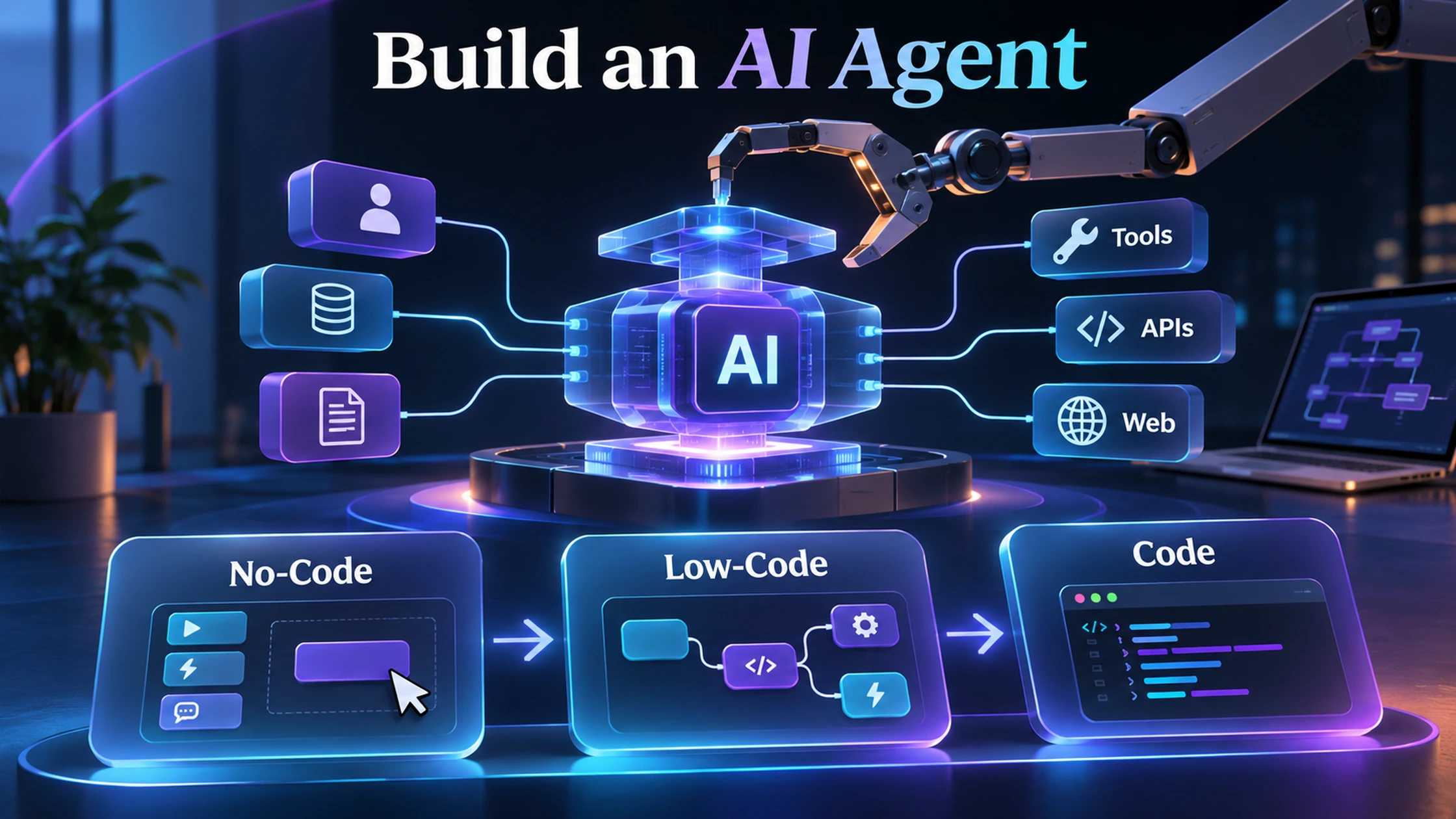
Three Build Paths
| Path | Typical tools | Best for | Trade-off |
|---|---|---|---|
| No-code | Taskade, Chatbase, Make-style tools | Internal assistants, support, research, simple automations | Fast setup, lower control |
| Low-code | n8n-style workflows, API connectors | Business processes with custom logic and integrations | More control, more maintenance |
| Code-first | Python/TypeScript agent SDKs and custom runtimes | Complex permissions, custom tools, durable execution | Maximum control, engineering cost |
Step 1: Define the Job
Write the input, desired output, tools, constraints, failure conditions and human handoff. If you cannot state those, you are not ready to build the agent.
Step 2: Start With Read Access
Let the agent gather and prepare before it can edit, send, spend or deploy.
Step 3: Give It One Tool at a Time
Each added tool expands the failure surface. Add tools only when the task requires them.
Step 4: Add a Verifiable Loop
The agent should be able to check its work or route the result to a deterministic or human evaluator.
Step 5: Add Durable State Only When Needed
Memory and long-running execution are powerful but create governance and privacy obligations.
Step 6: Test Failures Before Success
Test stale data, unavailable APIs, malformed inputs, permission denial and ambiguous requests.
DN Agent Build-Path Selector
When to Move Up the Stack
Move from no-code to low-code when you need custom routing, private APIs or stronger error handling. Move to code-first when your bottleneck becomes permissions, performance, durability, portability or bespoke evaluation.
DN Rule
Build the smallest agent that can complete one measurable job. Complexity is earned by requirements, not by ambition.
A Reference Build: The Customer-Question Agent
To compare build paths fairly, use the same bounded job: answer customer questions from approved documentation, create a support ticket when evidence is missing and never issue refunds or financial advice. The agent needs a knowledge source, a retrieval step, an answer policy, a confidence or evidence check, a human handoff and a log.
| Build path | Implementation | What the builder must own | Typical failure |
|---|---|---|---|
| No-code | Hosted agent builder trained on documents with a website or messaging channel | Source quality, prompt/policy, handoff and plan limits | Fast launch hides weak evaluation or vendor lock-in |
| Low-code | Workflow tool connects trigger, retrieval/model, ticketing and logging nodes | Credentials, branching, retries, state and monitoring | Scenario works in the happy path but breaks on missing fields or rate limits |
| Code-first | Custom agent runtime, retrieval layer, tool schemas, evals and deployment | Everything: auth, orchestration, durable state, observability and security | Engineering complexity exceeds the business value of the workflow |
No-Code Path
A hosted support-agent platform is the quickest route when the job is primarily document-grounded customer service. Upload or connect approved sources, define what the agent may answer, configure the human handoff and test it against real questions. The builder should check citation behaviour, unsupported questions, data retention, channel availability, message-credit limits and whether actions such as refunds or order lookup are exposed.
This path is appropriate when speed and standard channels matter more than bespoke orchestration. It is a poor fit when the agent needs unusual authentication, complex multi-system state or tightly controlled financial actions.
Low-Code Path
A workflow platform such as n8n or Make can connect an inbound form or message to retrieval, a model call, a decision branch, a ticket system and an audit record. Low-code is often the best middle ground for small businesses because the workflow is visible and can be changed without rebuilding the full application.
The main design work is not drawing nodes. It is defining idempotency, retries, missing-data behaviour, rate limits, secret storage, execution cost and what happens when the model output does not match the expected schema. n8n’s current cloud plans price completed workflow executions rather than individual steps, while Make prices module actions as credits; the cheaper option depends on workflow shape and run volume.
Code-First Path
Code-first is justified when the agent needs custom policy, high-volume execution, complex permissions, durable background work, portable infrastructure or deep evaluation. A production design normally includes typed tool schemas, an orchestration layer, a state store, queue or durable execution, structured logs, secrets management, evaluation datasets and deployment automation.
The benefit is control. The cost is operational ownership. Every library update, auth failure, model change and infrastructure incident becomes the builder’s responsibility.
Real Cost Model
Do not compare platforms by subscription alone. Estimate:
- Builder and maintenance hours.
- Workflow or action charges.
- Model input, output and tool-call costs.
- Hosting, database, storage and backups.
- Human review and exception handling.
- Monitoring, support and incident response.
- Migration cost if the platform or model changes.
A no-code system can be cheapest at 100 conversations a month and most expensive at high volume. A self-hosted workflow can have a low server bill but high maintenance cost. Code-first becomes economical only when control or scale offsets the engineering burden.
Acceptance Tests Before Launch
- Correct answer from an approved source.
- Unknown answer that triggers a handoff rather than fabrication.
- Conflicting sources with a clear freshness rule.
- Prompt injection embedded in retrieved content.
- Unavailable model or API.
- Duplicate inbound event.
- Malformed tool output.
- Request containing personal or secret data.
- Attempt to perform a prohibited action.
- Revoked credential or disabled integration.
Worked Cost Scenario
Assume 2,000 support conversations a month, 20% requiring a model call and 5% requiring human review. A hosted product may be attractive because channel, retrieval and handoff are bundled. A low-code workflow may cost less if each conversation uses only a few actions and the company already operates the automation platform. A code-first system is unlikely to be cheaper unless the workflow is strategic, high-volume or constrained by privacy, integration or control requirements. The correct comparison therefore prices the whole operating model, not just the AI token.
When to Change Paths
- Move from no-code to low-code when branching, private APIs, custom records or cross-system workflows become central.
- Move from low-code to code-first when auth, latency, durability, portability, scale or eval requirements exceed the workflow platform.
- Move down the stack when custom engineering is not improving the user outcome.
Deployment Checklist
- Name the accountable owner.
- Document the allowed tools and data.
- Version the prompt, model and workflow.
- Create a small, representative eval set before launch.
- Log inputs, tools, outputs, errors and human overrides.
- Set cost, latency and failure alerts.
- Test credential revocation and rollback.
- Review source freshness and permissions on a schedule.
Affiliate disclosure: DN may earn from selected build tools, including Make, Taskade, Chatbase, and Replit. The build-path recommendation is based on workflow requirements, not compensation.