What Matters
A useful crypto price-alert agent is not a bot that shouts every time price moves. It is a small, stateful workflow that checks a defined condition, suppresses duplicates, records the observation time and sends a message only when the alert can change a decision. This guide builds that workflow in n8n using a public market-data endpoint and a notification channel.
DN Evidence Block
Reviewed: 16 November 2026 · Evidence type: current n8n workflow documentation, CoinGecko API/MCP documentation and Telegram-node guidance.
Boundary: DN did not import the exact workflow into every current n8n version. Node labels and credential screens can change. The guide explains a reproducible architecture and provides a downloadable alert specification, not a guaranteed import file.
The Workflow
The minimal path is:
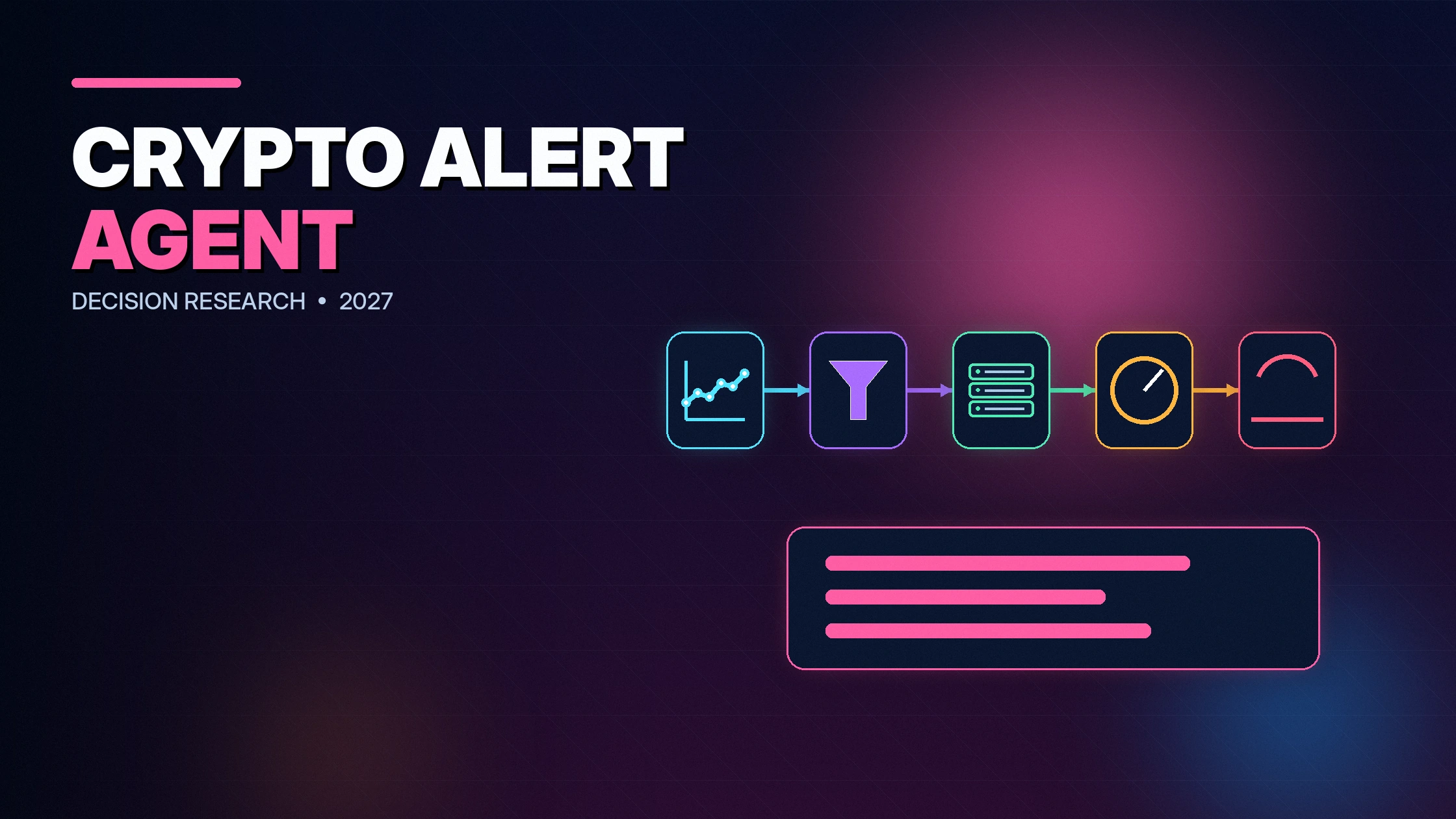
Schedule Trigger → HTTP Request → Normalize Data → Load Previous State → Evaluate Rule → Suppress Duplicate → Send Notification → Save State → Log Result
Each step exists for a reason. Removing state creates repeated alerts. Removing the observation timestamp makes stale data look current. Removing error handling makes silence indistinguishable from a healthy “no alert” state.
What You Need
- An n8n Cloud account or a self-hosted n8n instance.
- A market-data source. This example uses CoinGecko’s simple price endpoint.
- A destination such as Telegram, email, Slack or a webhook.
- A place to store the last alert state, such as n8n Data Tables, a database or a small file/record in the workflow environment.
Use a dedicated notification channel. Do not mix automated alerts with account-recovery messages or private keys.
Step 1: Define the Rule Before Building
Write the condition in plain language:
“Check Bitcoin in USD every five minutes. Notify me when price crosses above $100,000. Send one message at the crossing, not a message on every later check. Allow another alert only after price moves back below the threshold and crosses again.”
This is a crossing rule, not a “price is above” rule. The distinction prevents a message every five minutes while price remains above the threshold.
Step 2: Add the Schedule Trigger
Create a new workflow and add Schedule Trigger. Choose an interval appropriate to the decision. Five minutes is adequate for a personal threshold alert; one-second polling is wasteful and can violate rate limits. The schedule time is not the market observation time, so preserve both.
n8n prices Cloud plans by completed workflow executions. A five-minute schedule can produce roughly 8,640 executions in a 30-day month even when no alert fires. Before choosing a frequency, calculate the execution budget and data-source limits.
Step 3: Fetch the Price
Add an HTTP Request node after the trigger.
- Method: GET
- URL:
https://api.coingecko.com/api/v3/simple/price - Query parameters:
ids=bitcoinandvs_currencies=usd - Response: JSON
A typical response is:
{
  "bitcoin": {
    "usd": 100250
  }
}
For production, use an appropriate CoinGecko plan or official public access route, obey attribution and rate limits, and cache where suitable. The free public endpoint is not an unlimited institutional feed.
Step 4: Normalize the Observation
Add an Edit Fields or Code node that produces a stable record:
{
  "asset_id": "bitcoin",
  "quote_currency": "usd",
  "price": 100250,
  "observed_at": "2026-11-16T08:00:00Z",
  "source": "CoinGecko",
  "rule_id": "btc-usd-cross-above-100000"
}
Do not treat a missing price as zero. If bitcoin.usd is absent or not numeric, route the run to an error branch. Unknown data and a zero price are different states.
Step 5: Load the Previous State
Store at least:
- the prior side of the threshold:
beloworabove; - the last observed price and timestamp;
- the last alert timestamp;
- the rule version.
If no state exists, initialize it from the first valid price without sending an alert. This avoids treating workflow deployment itself as a crossing.
Step 6: Evaluate the Crossing
The logic is:
current_side = price >= threshold ? "above" : "below"
should_alert = previous_side === "below" && current_side === "above"
For a crossing-below alert, reverse the sides. Add a maximum data age condition if the data source provides an observation timestamp. An alert based on stale data should fail closed or state that the observation is stale.
Step 7: Add a Cooldown
A crossing rule already suppresses repeated messages while price stays on one side. A cooldown protects against rapid oscillation around the threshold. For example, allow no second alert for 30 minutes unless the price moves at least 1% away and crosses again.
Cooldown should not silently discard a major move. Record the suppressed event in the log even if it does not reach the user.
Step 8: Send the Notification
Add the Telegram, email, Slack or webhook node. A useful alert includes:
- asset and quote currency;
- condition and threshold;
- observed price;
- source and observation time;
- rule ID/version;
- a reminder that it is an alert, not an order.
Example:
BTC/USD crossed above $100,000. Observed price: $100,250 at 08:00 UTC via CoinGecko. Rule: btc-usd-cross-above-100000 v1. No trade was placed.
Step 9: Save State After the Decision
Update state after a valid observation, whether or not an alert fired. If the notification fails, preserve a separate delivery status so a later retry does not confuse market state with message state.
Use an idempotency key such as rule_id + crossing_side + crossing_timestamp_bucket to reduce duplicate notifications when n8n retries an execution.
Step 10: Add an Error Workflow
Create an error trigger or branch for:
- HTTP timeout or 429 rate limit;
- unexpected JSON shape;
- missing price;
- state-store failure;
- notification failure;
- repeated workflow errors.
The error message should say which component failed and whether the market rule was evaluated. “Workflow failed” is not enough.
Detailed Node Configuration
Schedule Trigger
Choose the interval and timezone deliberately. If the decision is based on a daily close, schedule after the relevant venue’s close rather than polling continuously. Give the workflow a name that includes the asset, rule and version.
HTTP Request
Set a timeout and enable the node’s retry behaviour only for errors that are safe to repeat. A read-only price request is generally safe to retry. A downstream order or payment would require idempotency and reconciliation.
Edit Fields / Code
Validate that the price is numeric, non-negative and associated with the requested asset and quote currency. Add fetched_at from the workflow clock and preserve any source-provided timestamp separately.
State lookup
Key state by rule ID, not only asset. “BTC above $100,000” and “BTC below $90,000” need separate state. If several users share a workflow, include a non-sensitive user or destination identifier.
IF or Code decision
Return a structured decision object:
{
  "rule_id": "btc-usd-cross-above-100000",
  "previous_side": "below",
  "current_side": "above",
  "crossed": true,
  "cooldown_passed": true,
  "should_notify": true
}
Notification
Use a fixed message template and escape user-controlled content. Do not allow a token name or external text to inject commands or mentions into the notification channel.
Expressions and Data Mapping
In n8n, the exact expression depends on the node output. A common mapping from the simple-price response is conceptually:
{{ $json.bitcoin.usd }}
Do not paste this blindly if the HTTP node wraps the response under another field. Inspect the node output in a test execution and map the actual JSON path. Use a Code node when validation requires more than a simple expression.
State Storage Options
| Option | Best for | Limitation |
|---|---|---|
| n8n Data Tables / built-in store | Small internal workflows | Feature and plan availability; portability |
| PostgreSQL or other database | Production, multiple rules/users | Schema, backups and credentials |
| Redis | Fast cooldown and deduplication state | Persistence configuration and extra service |
| Google Sheets/Airtable-style store | Low-volume visible records | Latency, rate limits and concurrency |
| Workflow static data | Very small experiments | Not ideal for robust production state or concurrency |
Multiple Assets Without an Execution Explosion
Use a batch endpoint where available, then iterate over the returned assets inside one workflow execution. Avoid one scheduled workflow per coin when the data source can return multiple prices in a request. Store state per rule and produce one consolidated message if several conditions trigger together.
Example: monitoring 20 assets every 15 minutes creates 1,920 asset checks per day. If one API request returns all 20, that can be 96 requests instead of 1,920. The n8n execution count and API credit model may still differ, so measure both.
Alert Types Beyond a Fixed Price
- Percentage move: current price relative to a prior timestamp.
- Range break: price crosses a high/low calculated from a defined window.
- Relative price: ETH/BTC or token/BTC rather than USD.
- Volume condition: volume exceeds a defined baseline, with source and interval.
- Portfolio condition: allocation exceeds a threshold using read-only account data.
- Data-quality alert: price feed is missing, stale or deviates from another source.
Complex alerts need more evidence. Define units, window, timezone and missing-data behaviour before building.
Monthly Execution Planning
| Interval | Approx. checks/day | Approx. checks/30 days |
|---|---|---|
| 1 minute | 1,440 | 43,200 |
| 5 minutes | 288 | 8,640 |
| 15 minutes | 96 | 2,880 |
| Hourly | 24 | 720 |
| Daily | 1 | 30 |
These are scheduled runs before retries and error workflows. Compare them with the current n8n plan and the data provider’s quota.
Notification Design
An alert should answer: what happened, relative to which threshold, at what time, from which source, and what action remains with the user. Avoid alarmist language. For a team channel, include an acknowledgement link or ticket ID so the system can distinguish delivered from acted upon.
Operational Runbook
Data source returns 429
Back off, preserve the failed observation time, and do not substitute an old cached price without labelling it. Alert the operator only after a defined failure threshold.
Notification channel fails
Keep the crossing event and retry delivery with the same idempotency key. Do not re-evaluate market state as a new crossing.
State database unavailable
Fail closed for duplicate-sensitive alerts. Sending repeated messages may be less harmful than a trade, but it undermines trust. Record that crossing detection was not completed.
Workflow was disabled
On restoration, decide whether to evaluate the current side only or reconstruct missed crossings from historical data. Do not claim a crossing time that was not observed.
From Alert to Order: Keep a Hard Boundary
If a later workflow places orders, it should consume a typed alert record and apply a separate authority policy. The alert agent should not gain exchange credentials. This separation lets the research/monitoring layer fail without directly moving capital.
DN Crypto Alert Rule Builder
Create and download a portable rule specification. It is not an n8n import file.
Worked Example
A five-minute Bitcoin alert creates up to 288 scheduled checks per day. If the user only needs a decision at the daily close, that frequency is wasteful. Changing the schedule to hourly reduces executions to 24 per day. The correct interval follows the decision horizon, not the maximum technical speed.
Suppose price begins at $99,500, crosses to $100,250, stays above for two hours, falls to $99,800 and then crosses again. A stateful crossing workflow sends two alerts. A stateless “price above $100,000” workflow could send dozens.
Security Rules
- The alert workflow does not need exchange trading keys.
- Store notification tokens and data API keys in n8n credentials, not in code or chat.
- Use least privilege for Telegram, Slack or webhook destinations.
- Do not include wallet balances, personal details or API secrets in alert text.
- Separate an alert workflow from any trading workflow. A notification should not become an accidental order.
What to Test
- First run below the threshold: initialize, no alert.
- Second run above: one alert.
- Third run above: no duplicate.
- Return below: state resets.
- Cross again inside cooldown: suppressed and logged.
- Cross after cooldown: new alert.
- Missing price: error branch, no false zero.
- Telegram failure: delivery retry without duplicate crossing.
- Duplicate execution: idempotency prevents duplicate message.
When to Use a Managed Alert Instead
TradingView, an exchange or a portfolio app may already provide the alert you need. Use n8n when the alert requires multiple data sources, custom state, business routing, logging or a downstream workflow. Do not build infrastructure merely to reproduce a reliable existing alert.
Frequently Asked Questions
Can this workflow place a trade?
It should not. Keep notification and execution separate. A trade-capable workflow requires additional permission, risk and reconciliation controls.
Can I monitor multiple assets?
Yes. Use a list and loop or separate rules, but calculate execution and rate-limit cost first.
Can I use the free CoinGecko endpoint?
For small prototypes, subject to current terms and limits. Production and commercial use may need a paid or otherwise appropriate access plan.
Why keep previous state?
State distinguishes a crossing from a condition that remains true and prevents repeated alerts.
Methodology and Limitations
DN designed the workflow from current n8n and CoinGecko documentation. The architecture is platform-version tolerant, but exact node configuration may change. DN did not certify notification delivery or market-data uptime. Test the workflow in the reader’s own environment.
Affiliate disclosure: DN may earn from the alternative tools Make and TradingView. n8n and CoinGecko are discussed without current DN affiliate links.
Primary Sources
- n8n Schedule Trigger
- n8n Telegram node
- n8n workflow executions
- CoinGecko Simple Price endpoint
- CoinGecko API plans